Text Us +1 773-430-6136




Description
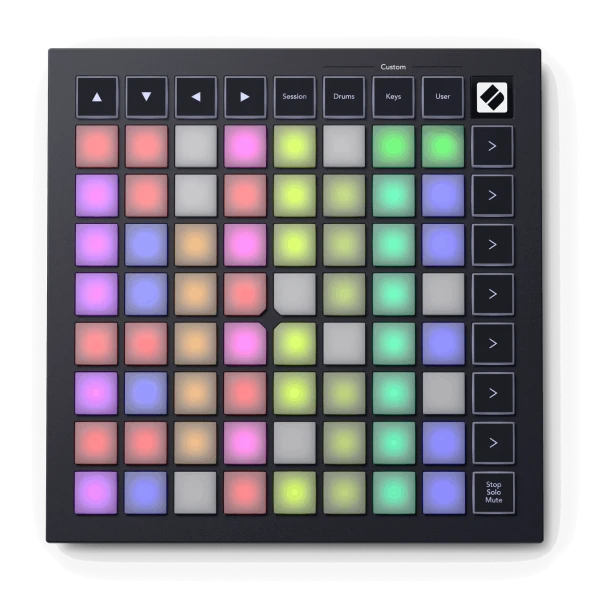
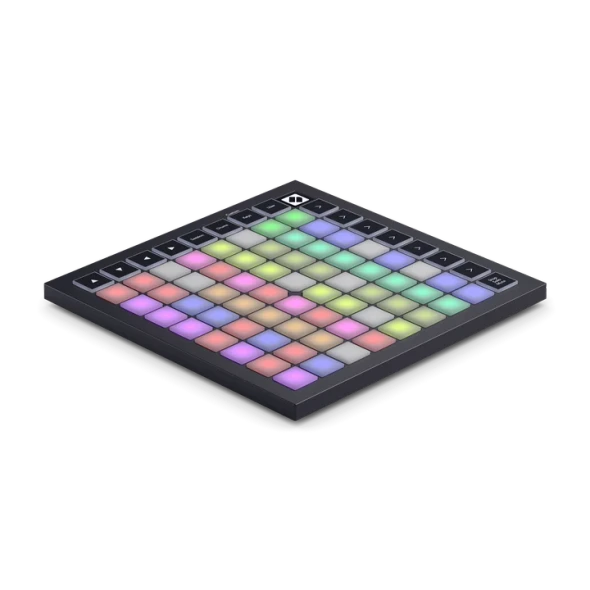
Our most powerful and playable grid controller ever is made to produce in Ableton Live and Logic Pro. Launch clips and scenes, access mixer, device and transport controls, sequence beats, and quantise, duplicate and double – all without touching your mouse. And with one-click access to Ableton Live's Capture MIDI function, you’ll never miss an idea. Have a different workflow in mind? Custom Modes transform Launchpad Pro into a hands-on control surface for any MIDI-compatible software or hardware, so you can easily design the perfect controller for your live or studio setup.
Features
- Our Deepest Ableton Live Integration — launch clips and scenes, access mixer, device and transport controls, and more
- The most tightly integrated grid controller for Logic Pro — trigger Live Loops from the grid, navigate projects easily, and get hands-on with your performance
- Super-sensitive RGB Pads — see your clips and play expressively with 64 large, RGB velocity – and pressure-sensitive pads
- Powerful four-track, 32-step Sequencer — create full tracks with eight-note polyphony, pattern chaining, probability and more
- Control anything in your studio — with MIDI In, Out & Out 2/Thru
- Includes Ableton Live Lite
Why We Like This
The most advanced Novation grid controller for producing with Ableton Live. Launchpad Pro has dedicated buttons that get you closer to the Ableton Live workflow. Launch clips and scenes, access mixer, device and transport controls, and quantise, duplicate and double, all without touching your mouse. Capture MIDI makes sure you never miss an idea.
FAQs
Q: What software or system requirements does Novation specify?
A: Ableton Live Lite is included. If you already have Ableton Live it must be version 10 or greater to work with Launchpad. We recommend that you update to the latest version as previous versions of Ableton Live do not include the Launchpad integration for InControl. Launchpad will also work as a standard MIDI controller. Novation Launchpad Pro is class compliant, so will work with any modern Mac and Windows PC. Lightning to USB 3 Camera Adapter with external power is required for use with iOS.
Q: What power requirements are listed?
A: USB bus powered (USB Power supply included for standalone operation)
Based in Chicago, IL, Gear Club Direct supports musicians, integrators, and creators every day with reliable gear and expert service.
Tech Specs
Ableton Live Requirement: |
Version 10 or greater |
Buttons: |
42 Backlit Tactile-Click Buttons |
Class Compliance: |
Class compliant |
Included Software: |
Ableton Live Lite is included. |
LED Indicators: |
106 RGB LEDs |
MIDI Compatibility: |
Standard MIDI controller |
MIDI I/O: |
MIDI In, Out 1 & Out 2/Thru Ports (3x TRS Minijack to DIN MIDI Adapters included) |
Pads: |
64 Velocity Sensitive Pads with Polyphonic Aftertouch |
Power Source: |
USB bus powered (USB Power supply included for standalone operation) |
Product Type: |
MIDI Grid Controller |
Security Slot: |
Kensington MiniSaver Slot |
USB: |
USB-C Socket |
iOS Connection Requirement: |
Lightning to USB 3 Camera Adapter with external power |
Delivery & Returns
At Gear Club Direct, we want you to be happy with your purchase. We understand that there are times when once a product is received, it may not be what you needed or wanted after all. So, we will gladly accept your qualifying return within 15 days of the delivery date. After 15 days of the delivery date, all sales are final.
The Return Process
Customers are required to obtain a Pre-Authorization to return any product. To submit a request for a return, simply log in to your account and request a return and one of our sales representatives will contact you within 24-48 business hours. If you do not have an account with us, please open a help ticket, providing as much detail as possible and whether you are requesting a refund or an exchange. READ MORE